General Help, User Manuals and Instructions.
If you are the wearer, please read the Fitting Instructions, both Dom and Sub should read the User Manual.
If you still have questions or something broke then please contact us so that we may fix it!
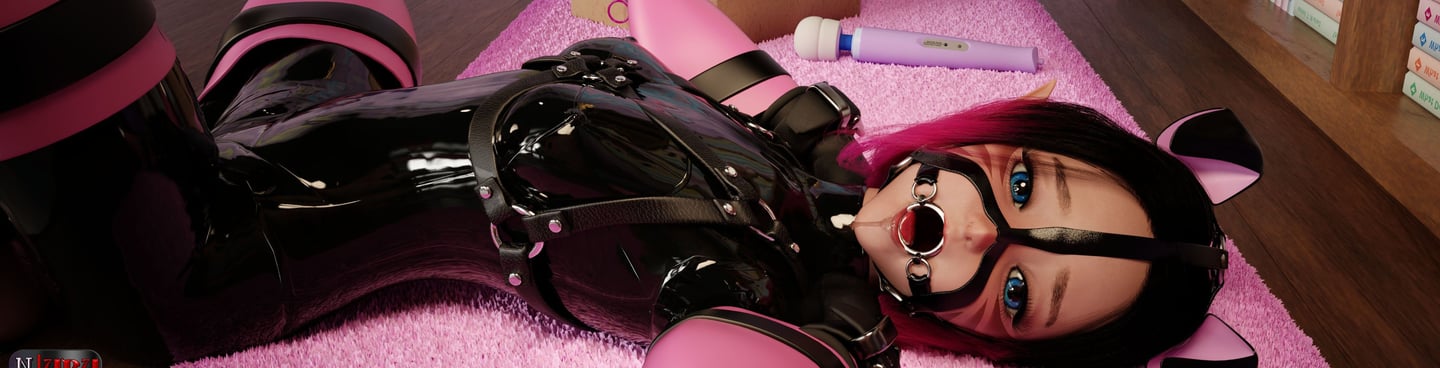
Venus Mega-Gag Fitting Instructions
The Mega-Gag's Default Rotation IS AND SHOULD REMAIN!:
0.00000
5.64999
90.00000
------<^--This is only here for a backup, incase you accidentally changed the rotation and need to know what it was.
ATTENTION: YOU ONLY NEED TO ACTIVATE ONE GAGSTYLE TO LINE UP THE MEGA-GAG!
All you need is the full harness active(on by default) and go to "Main Menu > GagStyles > Classics > Plug 1"
Then "Back > Options > Unplug", Just Follow the instructions below and pay attention to the position of the nose hooks, and make sure the NoseStrap(The one that goes a crossed the face from side to side) is just barely above Blush 3 on your head(The reddest blush) And look inside of the plug, Make sure your teeth or lip aren't showing through!.
(Don't change the position/rotation of the single prim, It may fix this gag. But it will mess up another!)
Example:
Brief Explanation:
1. Copy the Position from your Venus head, and paste it to the Mega-Gag.
2. Make sure "Stretch Both Sides" and "Stretch Textures" is checked in the edit menu. And then hold shift and alter the size some(Since the gag is made up of Micro and Nano mesh, you may need to zoom out some).
Repeat step 1. THEN 2. THEN 1 etc, until it looks correct. then your done!.. If you need it explained in more detail continue reading.
Once this is done. you need to click Edit on your Venus head, and go to the "Object" tab, and under Position click the " C "(Copy) Button.
Then edit the gag, and under Position, click one of the " P "(Paste) buttons, the position of the Gag needs to be the same as the Head! and It must attach to the same spot as the Venus head! (Default is Chin) - doing this will line everything up perfectly.
ATTENTION: THE POSITION OF THE MEGA-GAG WHEN ATTACHED TO CHIN IS CORRECT!
If you trust me enough to buy this, then please trust me a bit more by following the rest of the instructions. I spent 4 months making the 3.0 version of this Gag.
After that, All you have to do is check at the top "Stretch Both Sides" and "Stretch Textures" then hold shift and alter the size some(Since the gag is made up of Micro and Nano mesh, you may need to zoom out some).
Once your done, Paste over the position of the Venus head again. It should still be copied! so just hit the " P " again. Repeat this process of changing the size and pasting the position until it looks correct!
Remember: Change Size, Then Re-Apply Position. And REPEAT until it looks correct!
That's ALL!~ :D
Using this method, from scratch I can usually fit the Mega-Gag to my Venus head within 60 seconds. ^ ^
Once that is done, ALL GagStyles should appear perfectly! as each GagStyle was made around the same Positioning AND Rotation. I've tried to make it as Symmetrical as possible!, though a bit off in some places. I'll try to fix this even more with each update. " I Make sure Every pixel counts, So you don't have to! ㋡ "
(will be updated later, the following info is from v4.44):
When you attach it for the first time, the keys will be available for ANYONE to grab.
By default it's set to " Hardcore ", Gender = "her"(female), Autogag Enabled.
When you (the wearer) have the keys you have access to a special menu "Gag-Settings" this will allow you to change the gag from Hardcore to Softcore, and prevent/allow your keyholder to restrict your out going IMs! These settings can be changed any time that you have the keys!
Difference between Hardcore and Softcore:
Hardcore = When someone else takes your keys, you can no longer use the gag yourself. And you must wait for them to "Leave keys" or set the TimeLock and when the time runs out it will Unlock and you will be given the keys.
Softcore = When someone else takes your keys, you can Reset the gag at anytime by clicking it and clicking "Reset" on the pop-up menu. Resetting it removes any current timers that might be active, And returns the keys to you(Any color/textures changes etc you've made to the gag Remain!).
These next two can ONLY Be done if the gag is unlocked!!
Edit the Gag and go to " Contents ", you'll find a notecard called " [VC] Mega-Gag User Settings "
Default Expression Picker:
by default when the Gag is unlocked or when a GagStyle is removed, it will go to the smile -> :) expression, to change this, you'll notice a " 1 " at the top of the notecard, the number ranges from 1-13, However IF you are using the chinstrap, it is best to use 1-4 and 7-10, Otherwise it can mess up, You can change this as often as you please(Aslong as the gag is Unlocked!), then When you have saved the notecard, wait a good 1-3 minutes so it registers, then re-attach the gag.
GagStyle Disabling Feature:
You can disable Single gags, one by one, or if you dislike an Entire Gag Category, you can disable that. it must be in a list format and it MUST be on the 4th notecard line. so DON'T hit " Enter ", Example below. then When you have saved the notecard, wait a good 1-3 minutes so it registers, then re-attach the gag.
Pacifiers, Tubes O, Ball 1, Ball 3
^-This disables the Pacifiers Category, and under Dildos you'll notice you can no longer ADD the tubes, Only remove them(unless they are already removed) and under Balls, you'll notice Ball 1 and 3 are Disabled.
Gender, if your female, it will work for the most part as it is.. i'll improve this more later(i JUST added it on v4.4). Otherwise if your male, the best one to replace it with would probably be "him"
While Gagged a Chat Character Limit of 700, and Emote limit of 800 is Enforced(This reduces the chance of the script breaking and it's not likely that anyone speaking will go past these limits. IF you happen to.. And want to regain the message you sent just hit " Ctrl + Up Arrow ", MUST BE IN THE SAME CHAT WINDOW. each one carries it's own message history).
When you enter a Gag-Zone(list of participating sims in the Key Holder Notecard) you will be Gagged instantly, and while in the Gag-Zone you will NOT be allowed to operate your own gag!... These areas are To prevent Subs from speaking for a reason( ;P ). someone else must do it for you. And if you have your own keys, then you must first leave the Gag-Zone to leave keys, or Give them to someone else.
^-If you wish to turn this off. go into the notecard and change "Ball 1" into "-", Otherwise you change can Ball 1 to your favorite GagStyle and depending on the place, it will be used on you! ^ ^ (be EXACT with the names, spacing, Capitalization!.. Every Upper Case or lower case, Changes EVERYTHING in a script)
Extra:
The gag is mostly Nano & Micro mesh, and was built around the smallest Venus head! so it can fit any size, just make sure that before you resize it you have "Stretch Both Sides" and "Stretch Textures" checked in the edit menu at the top right!
If you have any issue that is not covered in the Fitting Instructions or User Manual, or find a bug/glitch etc. Please contact us.
Mega-Gag Usage Manual
If you have any issue that is not covered in the Fitting Instructions, User Manual, or find a bug/glitch etc. Please contact us!
Contact
contact@venom-corp.com
3nzo Slade
Copyright © 2008–2026 Venom Corp™ - All rights reserved.
No portion of this website shall be reproduced without permission, content on this site shall not be used in any shape or form for AI training.
All events, and all characters are entirely fictional and over 18 years of age, they're not meant to depict any real human being.
All products are intended solely for adult audiences and virtual environments such as SecondLife.